The work finds you.
No more hunting through screens. Open the console and the morning briefing is waiting — it walks your live business one decision at a time, each carrying why it surfaced, when it is due, and how it is asking you to respond. Answer in a tap, or just talk back. And underneath, the software itself is adaptive — it reshapes to your business as it changes, instead of aging toward the next rip-and-replace.
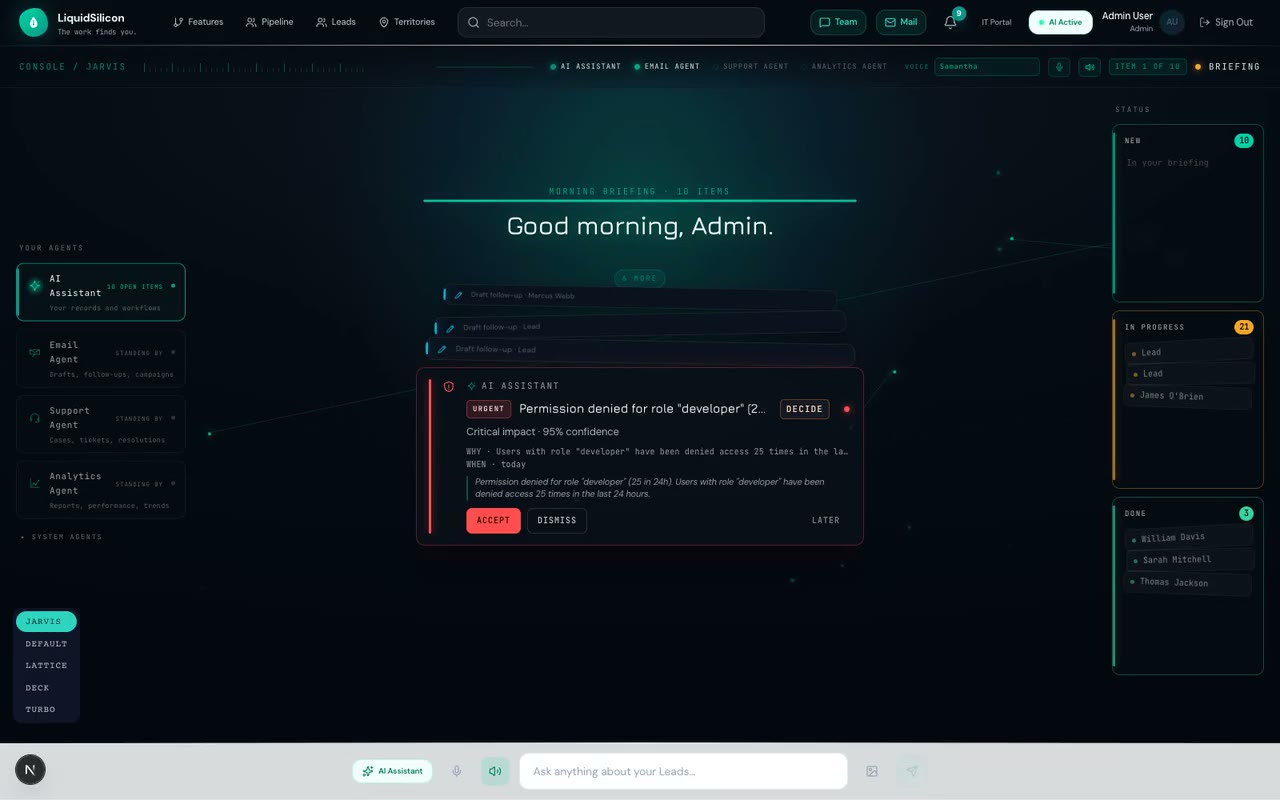
It opens with good morning, not a dashboard.
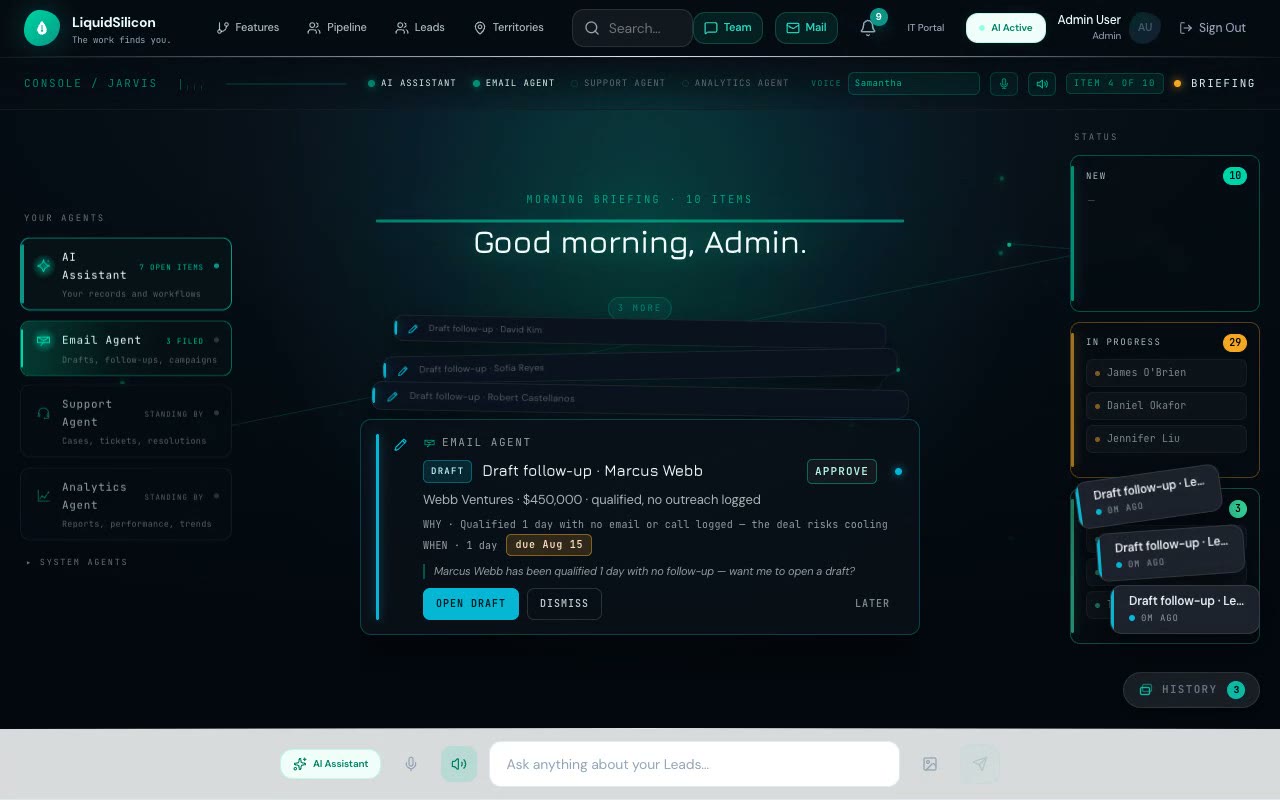
“Good morning. Three items need your attention.” The console greets you and counts what is waiting — spoken aloud if you want it, read if you don’t. Then it starts dealing.
One decision at a time. Not a wall of notifications — a single card, front and center, narrated as it lands. You handle it, and the next one deals in. The queue tells you how many remain, never all at once.
Only what needs you. The agents triage everything else in the background. If nothing is urgent, the briefing says so — “all clear” — and gets out of your way. The point is your attention, not your engagement.
Every item tells you why, when, and how to answer.
A briefing card is not a headline you have to go investigate. It carries its own reasoning — three terse lines that mean you can decide from the card itself.
WHY — One line of provenance — the reason this surfaced now. “5 denials is 4× your daily baseline.” You never get an alert without knowing what tripped it.
WHEN — The temporal context, from real timestamps — when it was detected and when it is due. “Detected 07:42 · ongoing.” “Due Aug 1.” Recency and deadline, never buried.
STYLE — How the item is asking you to respond — DECIDE, APPROVE, REVIEW. The ask is on the card, so you know the kind of answer it wants before you read the detail.
Talk over it. Tap once. Either works.
Barge-in voice
The briefing narrates itself — and the moment you start speaking, it stops and listens. A live transcript fills in as you talk; your reply routes straight into the conversation. No wake word, no waiting for it to finish. You interrupt it the way you would a person.
One tap moves real work
The buttons on a card are honest: Approve approves, Advance moves a lead a pipeline stage, Send sends. They act on the actual record and it says what it did — “Approved.” “Sent.” A button that only opens a record to read says so, and leaves the item in your queue.
It doesn’t just flag the problem. It heals it — with your yes.
When a card is a problem — a spike in denials, a broken access policy — it can hold its own solution. The Builder drafts the actual change and shows it to you as a readable before → after diff with a risk note. You confirm and apply, or reject.
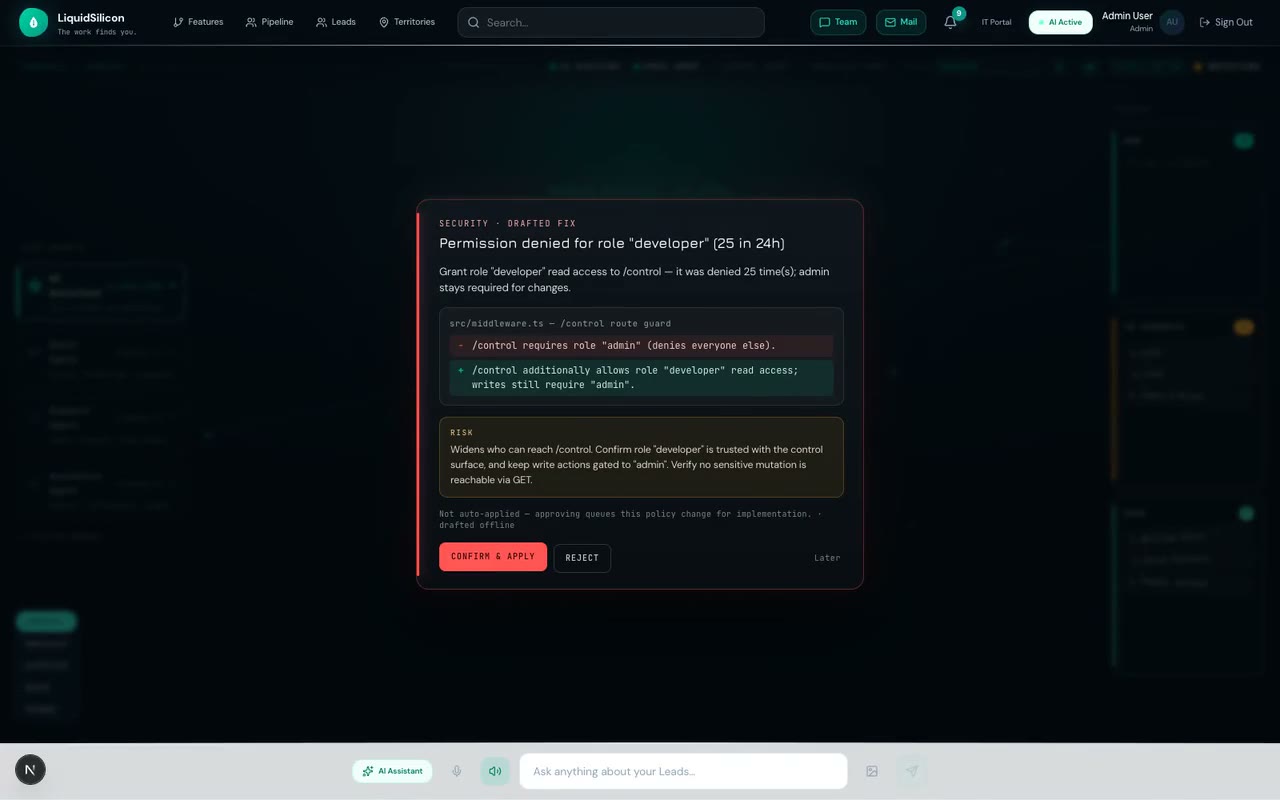
Propose → confirm → receipt
Nothing is applied without your explicit confirm. When you do confirm, the change is written and you get a receipt — a record of exactly what happened, attributed and timestamped.
Never silently auto-applied
We say this plainly because it is the point: the console never changes your business behind your back. The honesty is the product — an assistant that drafts fast and applies only on your yes is one you can actually leave running.
Every decision has a place to go.
A spatial status board
Records you act on move across a live board — New → In Progress → Done — off to the side of the briefing. Advance a deal and its card flies to In Progress. The desk reads like a real workspace, not one undifferentiated “handled” pile.
It files itself, macOS-style
Every decision you make animates into a fan stack in the corner — a filed history you can fan open and inspect. The archive records when you decided and what you chose, so the console is also its own audit trail.
Five specialists prepare every briefing.
There is no single, opaque “AI.” Five narrow agents assemble what reaches you — one watches, one ranks, one drafts, one guards, one learns — and the two that could change anything are the two you hold on the tightest leash.
One loop, seen from both sides.
You get a briefing; IT gets a control plane. The same decision travels one path — an item you answer in the Business Console becomes a proposal an agent makes, which an IT reviewer approves in the Control Plane before anything ships. The whole IT change cycle, compressed into one continuous, governed loop. These are faithful recreations of the console.
Your agents
Morning briefing · 3 items
Good morning, Sai.
Review AI-generated suggestions
How a briefing card lives, in four beats.
Scroll to walk one card through its life — the deck deals it out of the aperture, acting on it genie-files it to the board, the corner fans your filed history open, and a tap recalls any card to center. Every number below is the shipped spring, not a mock.
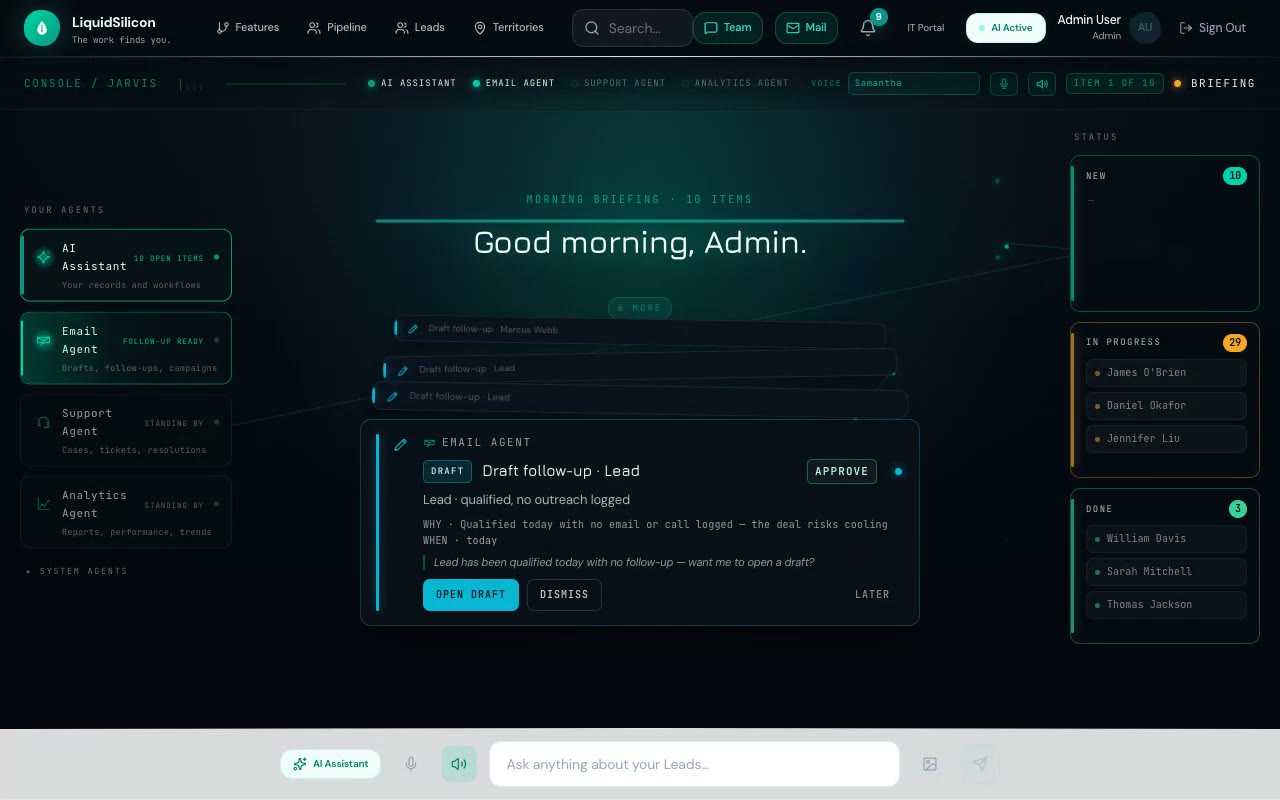
spring 300/30 · scaleY 0.14→1 · spine step −34px / −0.04 · emit flash 0.5s
BEGIN deals the deck out of the aperture — each card grows from a spine into the focused front.
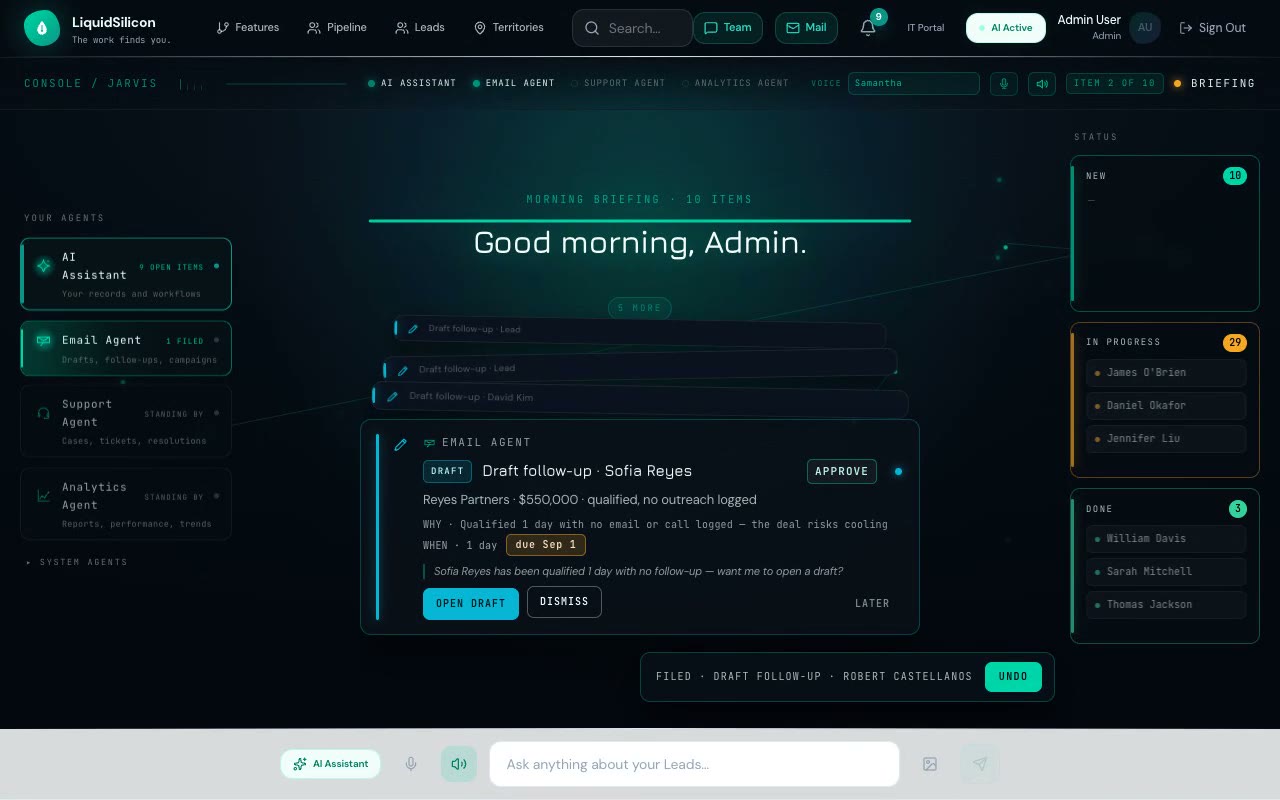
genie 0.55s · x lags easeIn · y leads easeOut · → 150×40 chip · undo 6s
Acting on a card genie-files it to the board on a bowed path; a FILED · UNDO chip holds a 6-second grace.
spring 300/30 · 40ms stagger · rise 74 + 62px/card · lean −4°/card
The corner unfolds the last five filed cards in a concave arc, up-and-left, 40ms apart.
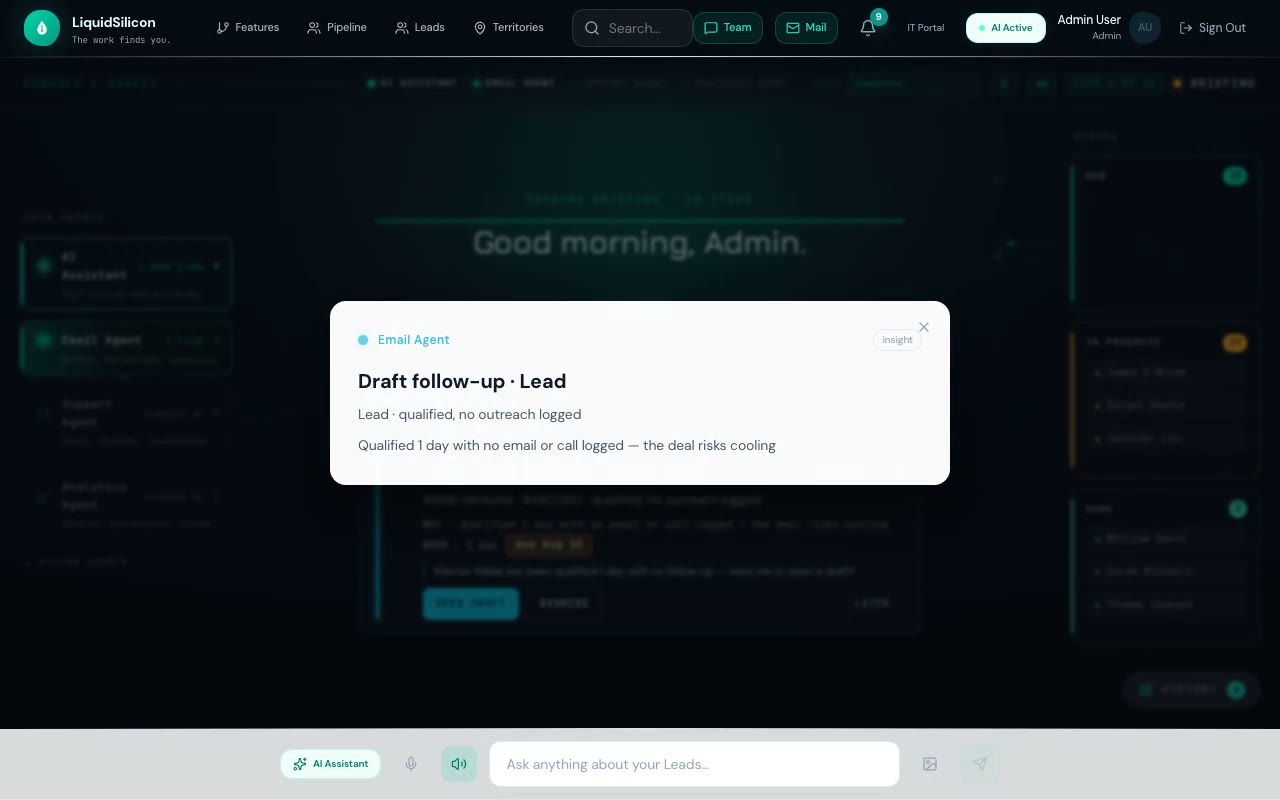
spring 300/30 · y 220→0 · scale 0.5→1 · 2px scrim blur
Selecting a filed card springs it back to center as a read-only peek over a blurred scrim.
You set the temperature.
Agents watch and report. Nothing acts.
Ranked recommendations, no changes made.
Approved change classes run on their own.
Autonomy widens to adjacent decisions.
The agent owns the workflow end to end.
Start with the agents drafting and you confirming everything. Grant more autonomy one phase at a time as they earn it — and pull it all the way back to observe-only in a single click, with no redeployment and no downtime.
A new IT cycle: software that reshapes itself.
The old cycle ran in years — specify, build, deploy, drift, rip out, replace. Here the five agents run that whole cycle continuously, inside the product: observe the change in your business, propose the fix, draft it, guard it, learn from it — every step behind your confirm gate. The software reshapes with your business instead of being replaced by the next one. And it does not just bend: the Learner feeds real outcomes back and, as you climb the trust scale, the agents propose entirely new modules — so the software grows new capability over time, always behind the same confirm gate. Three primitives make that possible, no magic:
Event-sourced core
Every decision you make in the briefing is an append, never an overwrite. Any past state is replayable and every action carries its own audit trail — so the history the console files for you is the real record, not a summary.
Business knowledge graph
Your operation described as entities and relationships the agents reason over — not opaque tables they blindly mutate. The graph is the shared truth every briefing is drawn from.
Config-driven runtime
Each tenant’s software is generated from their own description of the business. The console fits your operation — and because the description drives it, the product reshapes with you instead of being torn out and replaced.
Bring your own model keys. Your calls run under your agreement, not ours.
The enterprise data-control question comes down to one thing: whose keys, whose terms. LiquidSilicon is BYOK-first — connect your own provider key and every agent call runs on it, under your provider agreement. No token markup, and we never train on your data. The keys themselves are the crown jewels, so they get crown-jewel handling — no magic:
Your agreement, no markup
Connect your own Anthropic, OpenAI, or Google key — five providers in all — and every agent call bills to you, under your provider’s data terms. We run the platform; we never mark up your tokens or train on your prompts. No key yet? Start on a capped platform allowance and switch to your own in one step.
Encrypted under a dedicated key
Keys are encrypted at rest with AES-256-GCM under a dedicated key, held separately from your login secret, and decrypted only at the moment of a call — never logged in plaintext. They live under forced Postgres row-level security, so one tenant’s keys can never surface to another.
Rotate or revoke in one click
Validate a key against the live provider when you add it, re-test it any time, and remove it instantly — the platform falls back to its own keys with no redeploy. The stored ciphertext is versioned, so the encryption key itself rotates without a flag-day migration.
Plans priced by the autonomy you grant, not the seats you fill.
Start with the agents drafting and you confirming — for free — and watch them work. Move up the trust scale as they earn it. You never pay for autonomy you have not turned on.
AI-ADOPTION ASSESSMENT
Not sure where AI fits your business?
Book a working session with our team — we map your workflows, find the highest-ROI automation candidates, and leave you with a concrete adoption plan. Free, no commitment.
Stop hunting through screens. Let the work find you.
Point LiquidSilicon at your operation and open it tomorrow morning to a briefing — the few decisions that actually need you, each ready to answer in a tap or a sentence. And as your business changes, the software changes with it.
Free tier · Humans confirm every change